

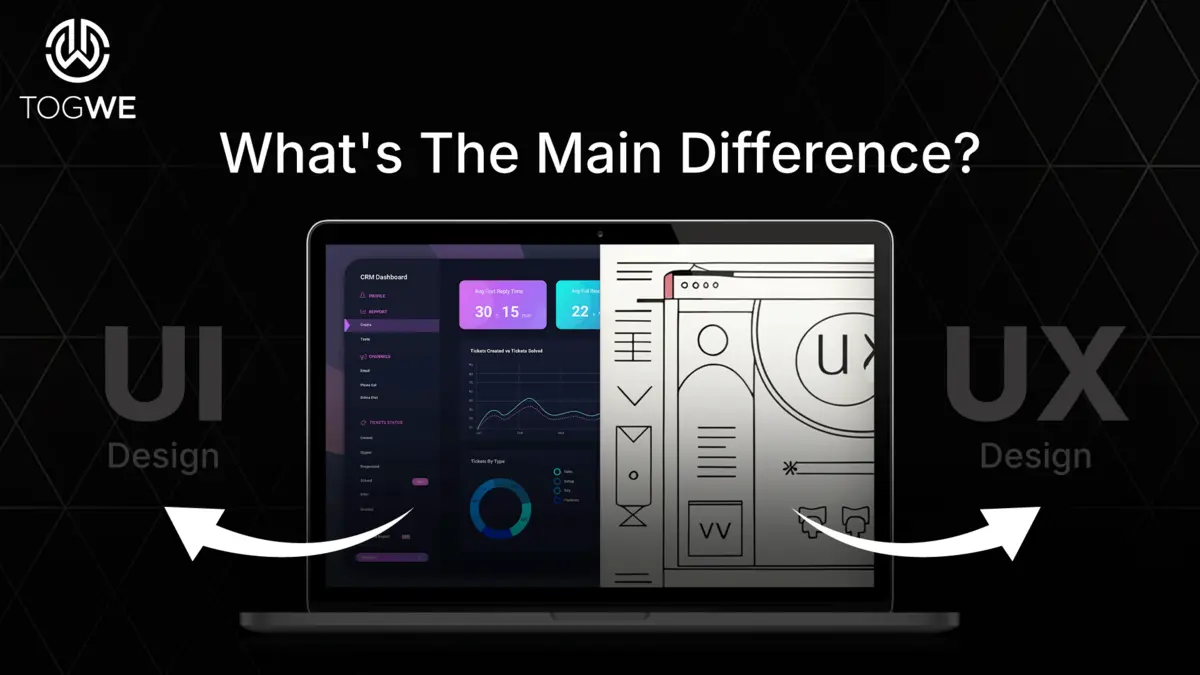
Now you will be able to easily understand the difference between UX and UI design in 2026. This article attempts to highlight the important differences between UX and UI design, their roles in the real world, the skills required for a UX-UI professional, and why both are really important for creating user-friendly digital products.
What Is UI Design?
User interface (UI) design is an interface that is given to design for software or digital devices. It usually communicates the look and feel of the screen. UI design deals with the layout of any UI objects such as buttons, colors, icons, text, etc., so that it is easy for the user to interact with the digital product. Other sub-objectives of UI design are clarity, simplicity, and aesthetics. In the current digital scenario, the interface becomes noticeable at the first moment. A clean and attractive UI enhances the user experience and makes the product easy to learn. A confusing and unattractive UI can spoil the appreciation of users, who may abandon the website for others. A good UI provides comfort and confidence, and gives the user complete entertainment while using the application or website.
Key Components of UI Design
A successful user interface is very important. It connects the user with the technology, whether it is a mobile application, a website or a software, because the interface determines how the user feels while using it. A well-organized and organized, clear interface makes things easier. A poorly organized interface leads to confusion and frustration. Thus, UI design is a combination of aesthetics and usability. It is mainly concerned with making the screen look good and work well. Any good UI should, without any instincts, allow its users to know what to do. Below are the elements that one would look for in any UI design for a simple yet very beautiful and easy to work with interface.
1. Layout
Layout describes the arrangement of different things on a screen. This includes text, buttons, images, icons, and menus. A good layout should be neat and organized. It helps users find their way around quickly and navigate the screen without confusion.
2. Typography
Typography refers to the art and technique of arranging type. It deals with font types, sizes, spacing, and colors. Good typography makes for good reading; simple, unobtrusive fonts help users absorb content without any effort.
3. Colour Scheme
Colors define the mood and actions of users. UI designers typically choose colors that match the brand and are easy on the eye. Contrast should be used effectively so that users can easily see text and emphasize important actions such as buttons/alerts.
4. Interaction
Interaction includes how users interact with the interface, whether it’s clicking, sliding, or tapping on an icon. Users should experience a clear response when they engage with the interface. For example, a button might change color if it’s clicked, symbolizing its engagement.
5. Icons and Imagery
Icons and images provide a quick visual representation of actions or information. They should be kept simple and easy to identify. Good visuals complement text and make the interface more attractive and friendly.
Also Read: 10 Apps Like Netflix: The Best Alternatives in 2026
6. Animations and Transitions
Animation creates motion on the screen, providing a boundary for user intervention and any significant change: page loading, page switching. Animation should be kept unobtrusive and subtle, as overdoing it can slow down users or cause distractions.
7. Consistency
Consistency means maintaining a consistent style across the entire user interface. All buttons, colors, fonts, and layouts should be consistent across all screens so that users feel comfortable, thus learning the UI quickly.
8. Accessibility
Accessibility is when your interface can be used by every user, including people with disabilities. Designers use clear fonts, good color contrast, and labels for images. A good UI behaves well with every user.
What Is UX Design?
In this era of chaotic markets, a good user experience is something that helps to differentiate a product or service from others. When users enjoy using a product or service, their satisfaction is tied to the brand. This fosters brand loyalty and drives growth for the organization. Conversely, an inconsistent user experience drives customers away. Users will abandon the product and may develop a negative perception of anything related to the product. This results in wasted opportunity and has a negative impact on business performance.
Key Components of UX Design
Across the vast spectrum of digital products, an application can be said to retain memory if it provides a unique experience to its users. This experience, if ever seamless, is intentionally crafted through the principles and elements of user experience (UX) design. This experience is often like an invisible hand, a gentle push, and a sympathetic gesture that fulfills a user’s need. But what are the fundamental principles for creating a truly user-centric, efficient, and delightful experience? Let’s discuss the research in detail in this research into the various key elements of UX design and outline the heart of a digital interaction that resonates deeply with its users.
1. Research
It forms the foundation of UX design. This involves understanding the target audience, their needs, wants, and behavior. Methods can include surveys, interviews, observations, and usability testing.
2. User Personas
They are fictional but heavily researched portraits of different segments of your target audience, providing clarity and focus throughout the design process.
3. Information Architecture
This is the organization and structure of content and information within a system so that users can easily navigate through it and find what they need.
4. Wireframing and Prototyping
Before the actual design process, UX designers create product wireframes (basic blueprints) and prototypes (interactive mock-ups) to test and refine concepts.
5. Usability
The main goal of UX design is to create products that are easy and natural to use. Usability helps accomplish this by allowing users to achieve their goals efficiently and with minimal frustration.
6. Interaction Design
Interaction design addresses how the user engages with the product, creating logical paths and interfaces that are easy to use.
7. Feedback and Iteration
In fact, UX design rarely takes a one-time approach. Designers collect feedback from users, iterate and make necessary changes, retesting until the desired user experience is achieved.
8. Accessibility
This would mean that the products could be used by people with some form of disability, thus adopting an inclusive approach for a larger audience.
Read More: Drupal vs Joomla: Choosing The Right CMS For 2026
Conclusion
UX and UI are two important areas in digital design. While UX ensures that the user travels on a smooth and easy path, UI adds visual spice to the experience, making it engaging and attractive. They work to make digital products easy to use and memorable. When both factors are in harmony with each other, websites and apps become a joy to use. For those who want to study UX and UI, Vertical Institute offers a beginner-friendly UX design bootcamp that is taught by industry experts and comes with a subsidy of up to 70% on the course fee, as well as a capstone project to practice what you learn in class.


![List of Brands Endorsed By Yuvraj Singh [2026 Updated]](https://www.togwe.com/backend/wp-content/uploads/2026/03/brands-endorsed-by-yuvraj-singh.webp)